Marches
To interact with the Old World, you will need to send your Units, Warlords, or Champions out to march to your chosen destination.
At high levels, the ability to have 6 concurrent marches can be unlocked.
March Speed
When marching troops, the march will move at the speed of the slowest unit involved. Unit speeds can be found in the Training Grounds, Bestiary, Dungeon or Chaotic Rift. There are various Rituals which let you increase your unit speed.
Iron Crater
There are many Iron Craters across the Old World.
An example of what an Iron Crater looks like is shown below:
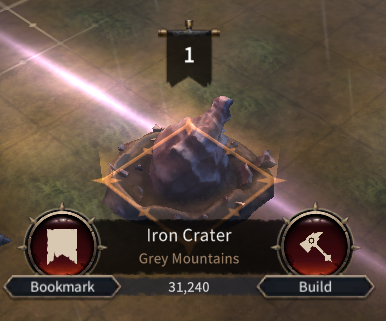
Building a Labour Camp at these locations will ensure a steady supply of Iron for your Fortress. But be careful, you may need to defend these from enemy attacks!
Encampment
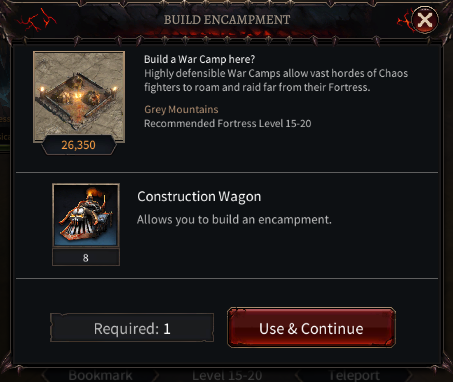
Each player can build three Encampments in addition to their Fortress.
Encampments may be for labour or war, providing a strategic stronghold for gathering Iron from the map, respectively.
Teleporting
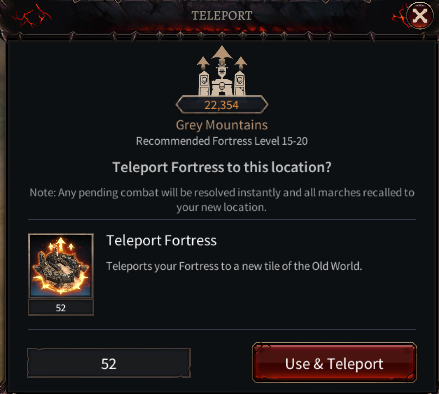
You can teleport your Fortress to an empty tile with available space.
Each area of the map has a recommended Fortress level, and teleporting to the appropriate area will help you make the best progress due to nearby resources, foes, and other objectives.
Please note that you cannot teleport if you have incoming enemy marches or warbands.
Siege of Altdorf
You cannot enter the Siege of Altdorf until your Chaos Keep reaches level 10.
When moving into the Siege of Altdorf, all captured prisoners will automatically be released. Note: this does not apply when moving within or out of the area.
If your Chaos Keep takes damage while inside the Siege of Altdorf, you will be teleported out of the zone to a random position.
When you leave the Siege of Altdorf area, any active shields on your Fortress will be lost.
Regions
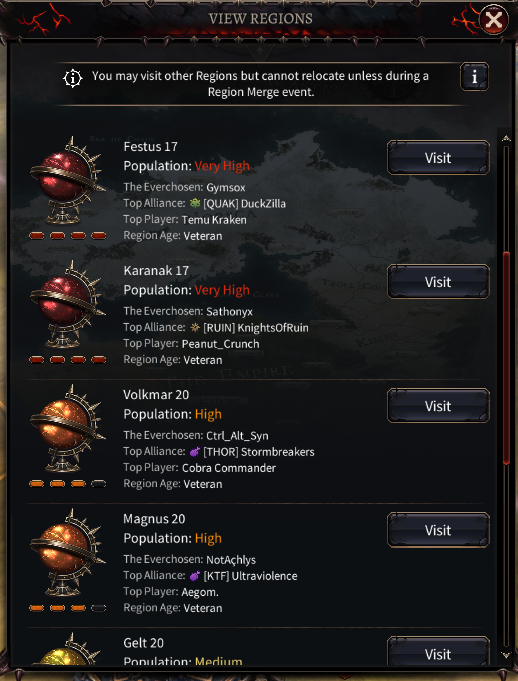
Every Region in the game can be viewed from the Region View. If you wish to play with a friend, simply find out which region they are playing in and select 'Visit'!
Territory
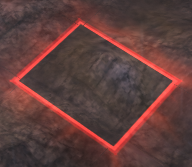
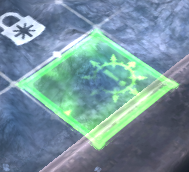
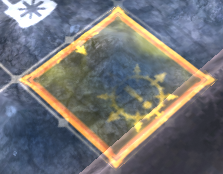
Your alliance territory will appear in green, and any enemy territory will appear red. Players without an alliance cannot claim territory. Any territory held by an alliance with which you can hold a non-aggression pact (NAP) will be displayed in yellow.
Territory held by enemy Alliances will appear red on the world map.
Enemy tile:
Territory held by your Alliance will appear green.
Alliance tile:
Territory held by an Alliance with which your Alliance has established a Non-Aggression Pact (NAP) will appear yellow.
NAP tile:
Capturing Territory
Capturing territory allows your alliance to secure strategic parts of the Old World. Enemies cannot teleport into territory that you control.
You can send your Warlords and units to capture tiles for your alliance. Note: you may only capture tiles which are adjacent to ones you already control.
Please see the Territory System Guide for more information.
Locked Territory
Tiles adjacent to a Chaos Fortress or Outpost are locked and cannot be contested. Instead, we suggest focusing your offensive attacks on Fortresses or Outposts.
Territory Supply
All allied territories must be connected by an unbroken chain from a Keep or Outpost.
Broken Supply
If your supply is cut off, the tile will lose control points and return to a Neutral state. The display of the 8-pointed star in the corner will indicate this.
Shields
Activating your shield prevents your Chaos Fortress from providing supply.
Neutralising Territory
Be aware! When hostile enemies, foes or raids spawn within your territory, the tiles they spawned upon will gradually return to a neutral state unless you can vanquish these invaders promptly.